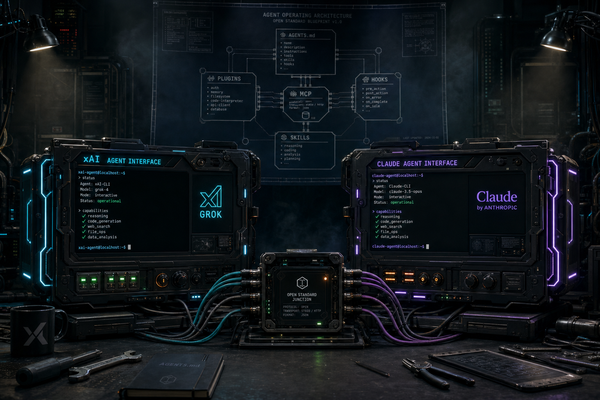
Codex Mobile, About a Release Quarter Late
OpenAI shipped Codex inside the ChatGPT mobile app, about a release quarter after Anthropic's Claude Code Remote. The surface caught up fast. The execution boundary is where the real argument lives.
Four release months later, OpenAI shipped the shape Anthropic made obvious: the phone is not the development machine. The phone is the control surface for the machine that does the work. On May 14, 2026, OpenAI added Codex inside the ChatGPT mobile app in preview. iOS and Android. All plans, including Free, in supported regions. The catch-up speed is the surface story. The deeper story is the execution boundary.
Codex in the ChatGPT mobile app. iOS and Android, preview, all tiers. Pairs to a macOS Codex host via QR code; Windows host pairing is “coming soon.” The host can be a laptop, a Mac mini, an SSH host, or a managed devbox once configured.
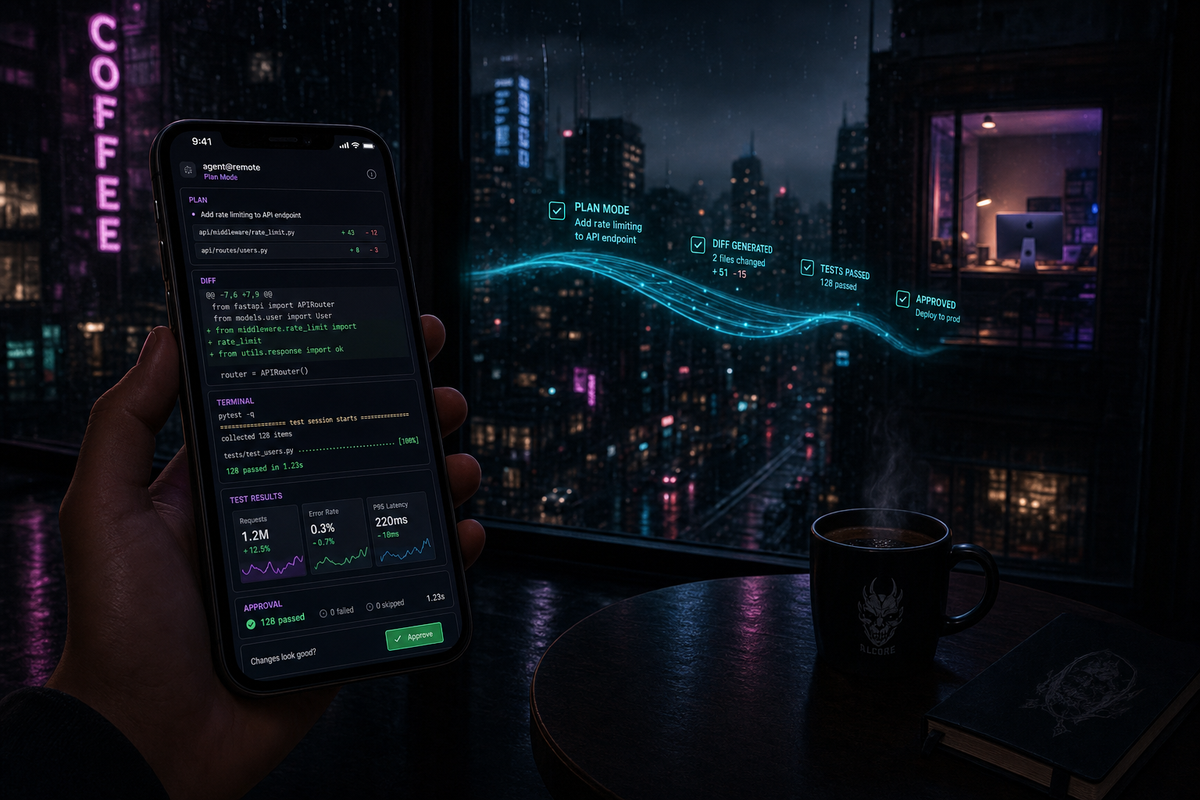
Mobile is a control surface, not a development environment. From the phone you start and continue threads, approve actions, review diffs, see live screenshots and terminal output and test results, switch hosts, manage many active threads.
Two Codex modes operators should not collapse. Codex cloud runs background tasks in isolated cloud sandboxes. Codex remote access (the May 14 launch) controls a connected host with its real environment. Different trust models in one product.
Claude Code Remote is local-first. The agent runs on your machine. The phone is just a window. Real filesystem, real credentials, real local MCP servers. A different bet from Codex cloud.
OpenAI is four months behind on the mobile surface. Anthropic shipped Claude Code Remote in February. The shape converged fast. The catch-up is the surface; the runtime is the real argument.
What this means for operators. Route by execution boundary. Claude for local truth. Codex cloud for scoped delegation. Codex mobile when the OpenAI-host supervision shape fits.
What Codex mobile actually is
OpenAI's framing matters here: the mobile app is described as a way to keep work moving while Codex executes on a connected Mac. Not a mobile IDE. Not a mobile shell. A mobile interface to an agent that lives on the desktop. The framing is correct. The right shape for an agent CLI on a phone is a cockpit, not an editor.
From mobile, the available actions are:
Start and continue threads. Spin up a new Codex task on the connected Mac from the phone. Resume any active thread.
Approve or reject pending actions. Long-running Codex tasks pause at safe-by-default approval points. The phone receives those prompts and lets the operator approve, deny, or comment on them remotely.
Review live output. Diffs, screenshots, terminal output, and test results stream in real time from the host machine. The mobile app renders them as a stack of cards instead of a terminal.
Switch hosts. Multiple Macs can pair to the same ChatGPT account. The phone moves between them.
Manage many active threads at once. The mobile app is the multiplexer. You can have eight tasks running across three Macs and approve work on whichever one needs attention first.
The setup flow is a QR code. Install Codex on the Mac. Open the ChatGPT mobile app. Scan the QR. Pair. Done. No SSH tunnel, no port forwarding, no manual auth dance. The Mac stays awake and online; the phone becomes the remote.
Below is the surface as it ships in preview, side by side with the product it is catching up to.
On the surface they are the same product. On execution they are very different products.
The execution boundary is the load-bearing distinction
Codex actually has two modes in one product, and operators should not collapse them. First is Codex cloud, the background-tasks product OpenAI introduced in 2025. Each task runs in its own isolated cloud sandbox provisioned for that run, preloaded with the repository. Codex web docs still describe Codex cloud as background work, including parallel work, in its own cloud environment. That is a real architectural bet: isolate the task, provision the environment, run away from the laptop, hand back evidence and a PR.
Second is Codex remote access, the May 14 launch. The phone controls a Codex host. The host supplies projects, credentials, tools, screenshots, shell output, approvals, environment state. Mobile pairing starts with the macOS Codex app today; the host can sit on a Mac, a Mac mini, an SSH host, or a managed devbox. The phone is the remote, not the runtime.
Claude Code Remote takes a different bet entirely. Anthropic's Remote Control docs are blunt: Remote Control connects the phone or browser to a Claude Code session running on your machine. The local filesystem, local MCP servers, tools, and project configuration remain available. The web and mobile interfaces are just windows.
Three runtimes. One control surface. The trade-offs are real, opinionated, and not interchangeable.
What you get with cloud sandboxes
Safety by default. A runaway agent cannot delete files outside the sandbox. It cannot exfiltrate credentials from your keychain. It cannot read your other projects. The blast radius of any single task is bounded by the sandbox itself.
Reproducibility. Every task starts from a clean environment. No drift from yesterday's leftover <code>node_modules</code>. No half-applied database migration. The agent gets the exact tooling OpenAI specified, and nothing else.
Compliance. OpenAI says HIPAA-compliant Codex use is supported for eligible Enterprise workspaces. Treat compliance as a plan/workspace configuration issue, not a blanket sandbox claim.
Mobile makes sense here. If execution is happening in the cloud, the Mac is just one of many possible UIs. The phone becomes another. There is no fundamental reason the Mac is in the loop at all, except that OpenAI uses it to anchor the session and to give the operator a familiar desktop view of the same sandbox.
What you lose with cloud sandboxes
Your actual environment. Your locally running Postgres. Your Tailscale config. Your VPN. Your USB devices. Your Docker daemon with its specific volume mounts. Your <code>.env</code> with the real credentials you use for production debugging. None of it is in the sandbox by default. You can mount, paste, or sync, but every workaround is friction.
Network behaviour parity. If you are debugging a network problem, the sandbox is the wrong tool. Sandboxes do not see your home network the way your laptop does. They cannot resolve internal-only hostnames. They cannot replay an SSH session against a private bastion.
Trust over time. The local filesystem is the operator's territory. Files persist. State accumulates. A long-running project is a continuous environment. Sandbox-first agents force you to externalise that state, which is good discipline but real friction.
Claude Code Remote takes the opposite bet. The Mac is the agent. The phone is just the window. State persists on the local filesystem, which means full power and full responsibility. The operator has to think about safety. The trade is real access in exchange for real consequences.
Neither choice is wrong. Cloud sandboxes are the right call for greenfield work, regulated environments, and tasks the operator does not want to babysit. Local filesystem is the right call for the project that has been running for two years and contains 200 things the agent needs to know about. I wrote about why this matters for the way operators actually work in Claude Code Remote Control: Your AI Coding Agent in Your Pocket.
Why mobile-as-control-surface is the right shape
The instinct on first hearing “coding agent in the mobile app” is that OpenAI is doing the wrong thing. Phones are not for coding. Tiny screens. Bad keyboards. No multi-window. Everyone agrees.
But OpenAI is not doing that. They are doing something different: putting the controls of a remote agent on the phone, while the actual development environment stays where it has always been. This is the right shape for three reasons.
Agent runs are wall-clock long. A non-trivial Codex task runs for tens of minutes with intermittent approval decisions along the way. You do not want to sit at the desktop for an hour and a half waiting for prompts. You want to be at lunch. The phone makes that possible without losing control.
Approvals are the bottleneck, not edits. If the agent is doing the writing, the operator's remaining job is to gate destructive or expensive actions. Gating is a tap. Gating is mobile-native. The thing the operator does most often on an active task is exactly the thing the phone is good at.
Multi-task throughput is the actual win. With one Mac and one operator, several parallel Codex tasks across projects is possible if approvals come from the phone instead of competing for the same desktop window. The mobile cockpit is a multiplexer.
Anthropic shipped this surface first. OpenAI has now converged on it.
The three-layer stack underneath: the phone is the interrupt layer. The laptop, devbox, or cloud environment is the execution layer. The human is the policy layer. That is the correct shape for serious agentic work.
Four months is the catch-up speed
Claude Code Remote launched in late February 2026. Codex mobile launched on May 14, 2026. The gap is about a release quarter on the same surface shape. OpenAI is following the same mobile-control pattern Anthropic shipped first.
This is healthy. It is the shape of a competitive industry where the answer to “we should ship a mobile cockpit for our agent” takes one quarter to implement instead of one year. It is also a signal that the surface area of an agent CLI is converging fast. Mobile control surface is the table stakes feature now. The next CLI to launch will have one on day one or be considered incomplete.
Mobile control surface is the table stakes feature now. The next CLI to launch will have one on day one or be considered incomplete.
What Codex mobile does not do
Three things the preview does not include, that an operator should know before treating it as a daily driver.
Full IDE on the phone. There is no editor view. No file tree navigation. No syntax-highlighted scroll. The mobile app shows diffs and approvals, not the project. This is the right call. It is also a real limit.
CLI parity. The mobile preview does not replicate the Codex CLI experience. Slash commands, configuration flags, and direct shell access are desktop-only. The phone is for supervising what the CLI started, not for typing CLI commands.
Windows hosts. Currently macOS only. xAI Grok Build and Claude Code Remote both support Linux and Windows hosts. OpenAI says Windows is coming soon. Plan accordingly if you do not run macOS as your primary.
Five implications
1. Mobile approval is becoming a baseline surface for serious coding agents. Every credible CLI launched from here forward will have one within six months. Anything without is read as a feature gap, not a deliberate scope choice.
2. Cloud sandboxes fit disposable or controlled work. Local or connected-host sessions fit long-running environments with real local state. The market splits along that line, not along OpenAI versus Anthropic.
3. Four months between Claude Code Remote and Codex mobile is faster than most industry watchers expected. Either OpenAI accelerated, or the surface is genuinely less complex than it looked, or Anthropic's implementation was the hard part and OpenAI got to read the design. Probably some mix of all three.
4. The QR code setup is small but meaningful. Anthropic uses a CLI command (<code>/rc</code>) to pair the phone. OpenAI uses a QR code from the Mac app. The Mac-app-first onboarding signals OpenAI sees Codex as a desktop product that grew a remote. Anthropic sees Claude Code as a CLI that grew a remote. Same destination, different priors.
5. Pro is higher-limit, not unlimited. Plan around current Codex limits instead of assuming infinite agent usage. Pricing and rate caps are changing fast; check OpenAI's current help docs for what your tier actually gets.
Route tasks by execution boundary
The mature workflow is not choosing a religion. It is routing tasks by where the work actually needs to happen.
Claude Code Remote when your local machine is the truth. Active terminal context, local MCP servers, local databases, private tools, browser state, repo-specific scripts, fragile auth, long-running stateful work. The local filesystem is the source of truth and the phone is just a window into it. This is common in production software work.
Codex cloud when the task is scoped and disposable. Implement a small feature, add tests, investigate a bug, propose a PR, review a branch. The isolation is a feature. Just do not confuse a configured sandbox with your real development environment.
Codex mobile when you are already running Codex across hosts. If you have a Mac host, Mac mini, SSH host, or managed devbox configured for Codex, the mobile app becomes a useful command surface. Especially good for approving actions, reviewing diffs, checking terminal output, watching test results, and keeping multiple threads alive.
Neither, from a keyboard, when the work requires sustained architectural judgment. Security-sensitive merges. Deep incident debugging. Architecture changes with unclear blast radius. Mobile should keep work moving; it should not turn every line at a cafe into a production decision point.
Closing
Codex in ChatGPT mobile is not a gimmick. It is the right surface for long-running agent work: approve, redirect, inspect, continue.
But phone parity is only surface parity. The real question is what the phone controls. A cloud sandbox. A connected host. A real local filesystem. A managed devbox. That is where the architecture lives. That is where the trust model lives.
OpenAI caught the surface. The execution bet is still open.
Claude Code Remote Control: Your AI Coding Agent in Your Pocket. The product Codex mobile is catching up to. Same shape, different trust model.
Two Models, One Branch. Running Codex and Claude on the same repo is the simplest multi-model orchestration that works.
Configure Claude Code for Maximum Power. Power-user setup for the CLI that the mobile cockpit drives.
Above the Model. The components above the model decide AI-native output quality. Surface choices, trust models, verification.