GPT Image 2.5: Pin Sunburst
Two GPT Image 2.5 models, same token rates. Flare is the volume default. Sunburst is the precision one. Pin that when the picture is the product.
ChatGPT Images 2.5 is one name in the product and two IDs in the API. OpenAI released it on 8 September 2026. The rate card did not move from GPT Image 2. The failure mode did: sort /v1/models and take the first 2.5 string, and you pin Flare — the volume default, not the precision model.
The trap is treating the volume default as a quality ranking. OpenAI named gpt-image-2.5-flare the default for most applications. That is a latency recommendation. For any workflow where the picture is the artifact — a campaign still, a product cutout, a blog feature, a multi-turn edit — pin gpt-image-2.5-sunburst and an explicit quality setting. Then test Flare down, once the bar is met.
Two IDs, not one. ChatGPT Images 2.5 is a product name. The API exposes
gpt-image-2.5-flare and gpt-image-2.5-sunburst, both with a 2026-09-08 snapshot. There is no bare gpt-image-2.5.Same rate card. $5 / 1M text in, $8 / 1M image in, $30 / 1M image out — matching GPT Image 2. Equal rates are not equal cost per image. Token count still moves with quality and size.
Flare is speed. Official: small/speed model; up to ~50% lower latency than GPT Image 2. Prompting guide: quality comparable to GPT Image 2. Volume, prototypes, social, search.
Sunburst is precision. Official: most capable; use it where editing precision matters most. The base model. Campaign, product, anything you will edit twice.
Quality is a parameter.
auto, low, medium, high, plus new xhigh and max. Do not bury this in the prompt. Higher is not a guarantee.Pin the ID. Do not rank
/v1/models. Flare sorts first because F comes before S. That is an access catalog, not a capability ranking. Auth failures stay visible — never fall back to an older model on error.Two IDs, one price card
Images 2.5 is the ChatGPT name. Developers get two models. OpenAI's prompting guide is blunt about the split: Flare is the small model, optimized for speed, with image quality comparable to GPT Image 2. Sunburst is the base model, optimized for quality, with higher image quality than GPT Image 2. Both improve precise editing and subject preservation.
The official migration rule is the useful one. If a validated GPT Image 2 workflow already meets quality, start with Flare and check whether latency drops without losing the bar. If GPT Image 2 falls short on a complex case, start with Sunburst, establish that it meets the bar, then try Flare on the same prompts. Switch only if quality still holds. Keep Sunburst when it does not.
That is the opposite of "always take the default." OpenAI's own launch post positions Flare at creator content, product experiences, visual search, rapid prototyping, and high-volume generation. Sunburst is for production-ready campaign creative and polished product imagery. If the model ID is not in the request, you do not have a pin.
What 2.5 actually changed
The announcement list is short and specific. More natural lighting and richer textures. Better preservation of subjects in reference photos. Editing instructions followed more reliably across multiple turns. Latency down by up to 50% versus GPT Image 2 — that number is the Flare pitch. Sunburst takes longer on purpose. Native image tools inside ChatGPT are not this API. Different surface, different controls, different bill.
The API surface grew in the places that matter for production, not in a new art style slider.
A painted checkerboard is not transparency. Request background="transparent" and output_format of PNG or WebP, then open the file and look at the alpha on hair, glass, shadows, and edges. Omit output_compression for PNG. If a later edit must stay punched-out, restate the transparent background every turn. Models forget constraints you stop repeating.
Quality is not a prompt adjective
Model selection and quality are separate request parameters. Moving to GPT Image 2.5 changes the model even if quality remains high. Keep quality fixed for the first model comparison, then test xhigh or max when a quality requirement remains unmet. Record both the model ID and the quality field; a prompt adjective does not set either parameter.
OpenAI's own guidance: choose the model first, keep quality fixed for the first comparison, then move quality one step at a time. Use xhigh or max only when they improve an unmet requirement inside your latency budget. A higher setting does not guarantee a better result for every prompt. That sentence is in the docs. Treat it as a measurement instruction, not a disclaimer to ignore.
The pictures in this article were generated with gpt-image-2.5-sunburst, quality="max", 2048x1152. That size is under the experimental ceiling. On this account the three generates came back in roughly 75–86 seconds each. That is one observation, not a benchmark. Token consumption is in the response usage field. Use that. Do not reuse a GPT Image 2 calculator — OpenAI says it does not estimate 2.5.
The picture is the argument
A model card is a claim. The output is the evidence. The header and the three stills below were made with gpt-image-2.5-sunburst at quality="max".
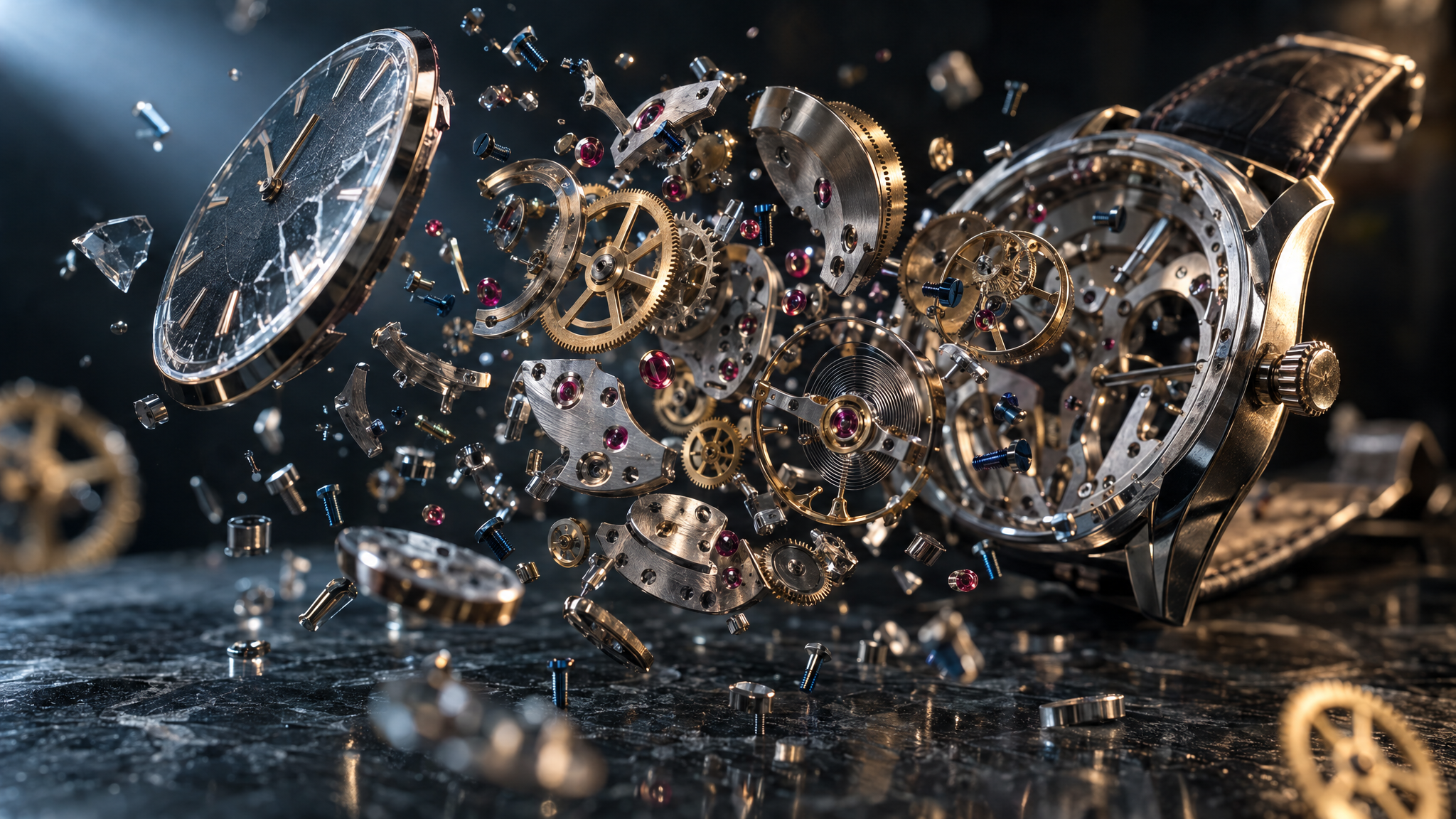
A generate this sharp is still the easy half. The product is the edit: keep the machine, move the world.
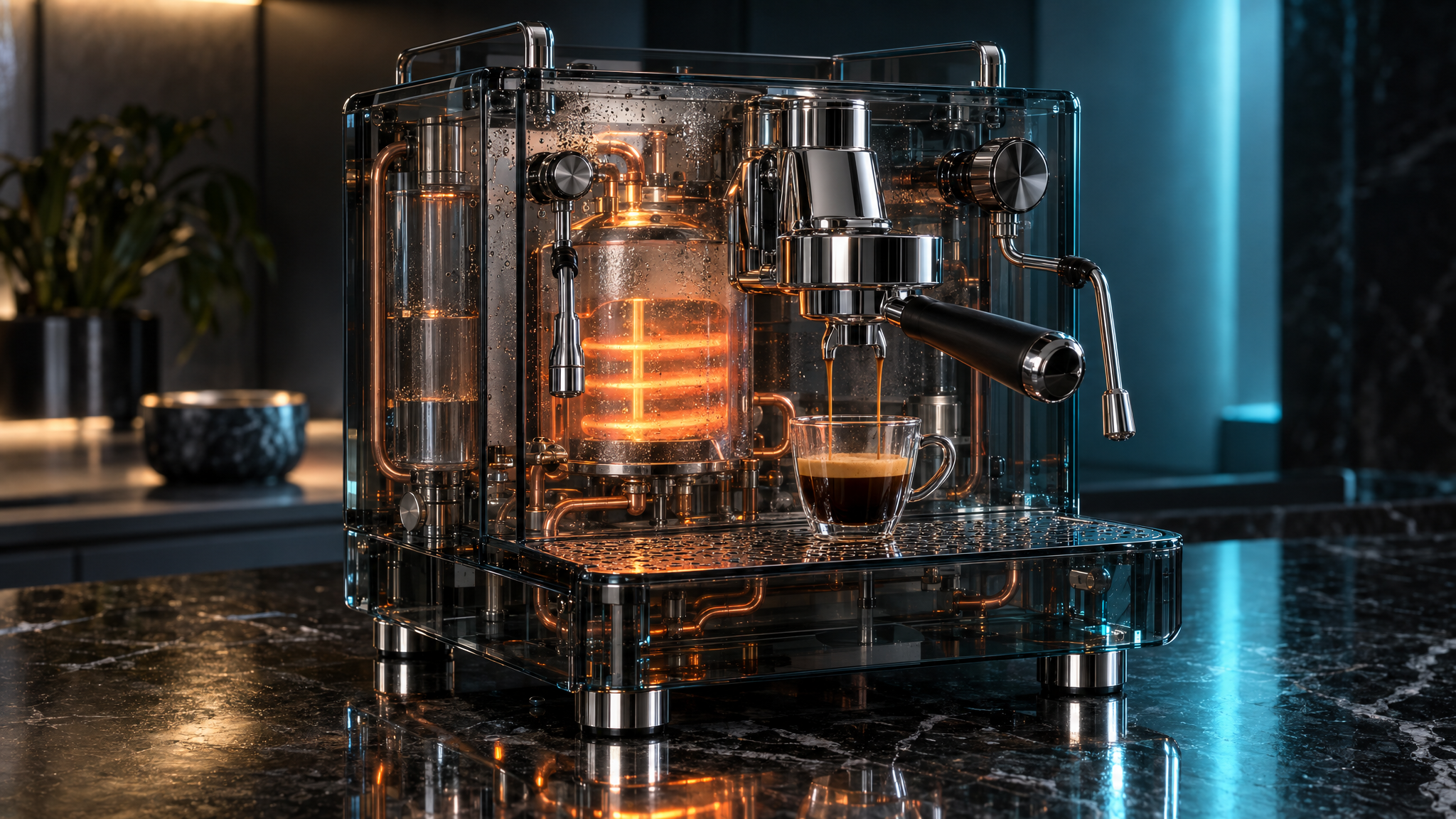
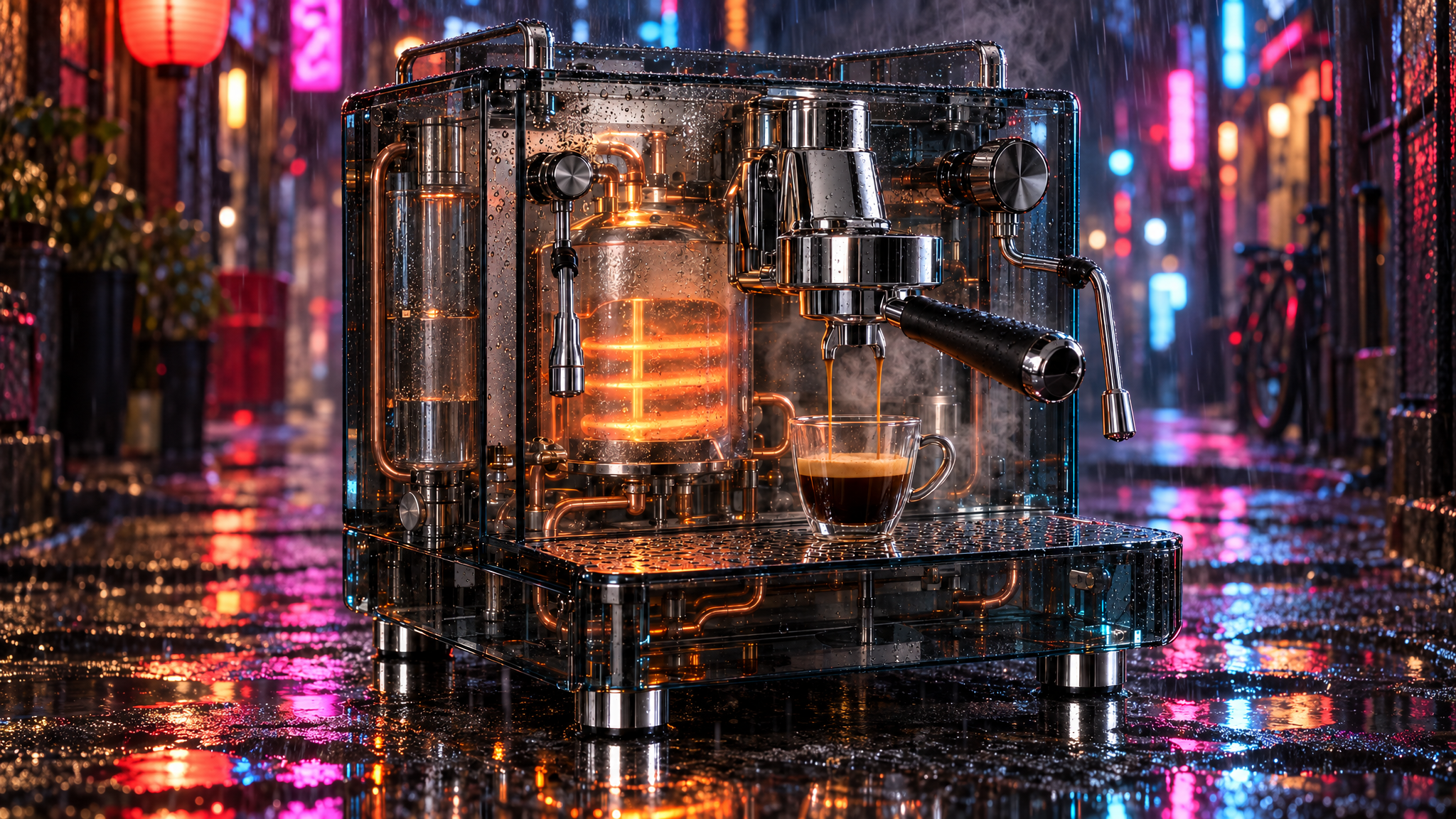
Inspect the before/after. Did the group head stay? Did the heating element stay? Did the cup stay? If a later pass drifts, restate the freeze-list. OpenAI is explicit: repeated edits can still change details you meant to keep. If a region must stay pixel-identical, composite the approved patch onto the original. Do not outsource that to prose.
Image API or Responses API
If you need one picture from one prompt, use the Image API. Set model to Sunburst or Flare directly. If you need a conversation that generates, then edits, then edits again, use the Responses API: a supported mainline model at the top level, and the image model on the tool. An example on this site is gpt-6-astra. You pay the mainline tokens as well as the image tokens.
Responses adds three things the Image API does not pretend to be: multi-turn with the previous image already in context, an action flag (auto / generate / edit — edit without an image in context errors), and streaming partials. The mainline model also rewrites the prompt. revised_prompt is useful and it is a footgun. Log both texts. When a result surprises you, you are often debugging the mainline, not Sunburst. For production edits, prefer the Image API and a prompt you wrote.
Do not send input_fidelity. That was a GPT Image 2-era knob. The 2.5 parameter table does not restore it. Omitting a dead field is not "Sunburst ignoring fidelity."
What it costs, and what it does not
Both 2.5 models bill the same: $5 per million text input tokens ($1.25 cached), $8 per million image input tokens ($2 cached), $30 per million image output tokens. Text output is not billed because these models output images. Rate limits on the model cards run from Tier 1 at 100,000 TPM / 5 IPM up to Tier 5 at 8,000,000 TPM / 250 IPM. Five images per minute on Tier 1 is a queue, not a pipeline. Plan bursts against IPM, not against a blog that quoted a still price.
Same rates are not the same bill. Token consumption can differ by model, quality, and size. That is not something a GPT Image 2 calculator will tell you. Measure usage on your prompts. Do not copy a blog's dollar-per-square-image into a budget.
This is the same shape of decision as pinning a text model at maximum effort: you are buying the expensive setting on purpose, then testing cheaper only after the output is acceptable. I wrote that argument for text in Astra × Fable: Full Power, Less Waste and in Fable 5.1 Is In Your Max Plan. It Is Not Free. The image stack now has the same fork. Treat it the same way.
Pin it. Do not rank it.
Alphabetical sort on /v1/models picks Flare because F comes before S. That is an access catalog, not a capability ranking. The catalog tells you what the key can call. Official docs tell you which ID is the precision model. Those are different files.
Pin gpt-image-2.5-sunburst with quality="max". Treat Flare as an explicit speed override. Auth, verification, and generation failures stay visible. OpenAI may require organization verification before GPT Image models run. A 403 is not a hint to try dall-e-3. It is a hint to read the error. Pin the dated snapshot (gpt-image-2.5-sunburst-2026-09-08) to stabilize model selection. A snapshot does not guarantee identical pixels; preserve the approved image file when exact reuse is required.
from openai import OpenAI
import base64
from pathlib import Path

client = OpenAI()

result = client.images.generate(
    model="gpt-image-2.5-sunburst",
    prompt=(
        "Photoreal studio product photograph of a smoked-glass espresso "
        "machine on black granite. True refraction, no text, no logos."
    ),
    size="1536x1024",
    quality="max",
    background="opaque",
    output_format="png",
)
Path("machine.png").write_bytes(base64.b64decode(result.data[0].b64_json))

edited = client.images.edit(
    model="gpt-image-2.5-sunburst",
    image=[Path("machine.png")],
    prompt=(
        "Change only the environment to a rain-soaked night alley. "
        "Keep the machine, geometry, materials, and camera identical."
    ),
    size="1536x1024",
    quality="max",
    output_format="png",
)
Path("machine-edit.png").write_bytes(
    base64.b64decode(edited.data[0].b64_json)
)
What still breaks
The model will still invent a logo if you ask for a luxury watch and do not forbid brands. That is not a 2.5 regression. It is why the edit endpoint exists, and why finished work should pin Sunburst, the model built for that edit. The featured still in this article did exactly that on the first generate. One local edit removed the mark and left the hangar.
Validated C2PA credentials and watermark detection can provide provenance signals; they do not establish every processing step or the truth of the depicted content. Moderation still blocks. Streaming partials still cost extra tokens. Sizes above 2560×1440 are experimental. Text in the image still needs a human. A higher quality setting still does not save a vague prompt. Flare is still the right call when you are exploring ten compositions and throwing nine away — after the stills match, not before.
Pin Sunburst. Set quality in the open. Measure usage. Edit with "change only X; preserve Y." Keep Flare for the pile of drafts that survive the same contract. That is the whole upgrade.
Introducing ChatGPT Images 2.5 — 8 September 2026. Product name, Flare/Sunburst split, latency claim, C2PA.
Sunburst model card · Flare model card — rates, snapshots, endpoints, rate limits.
Image prompting guide — small vs base model, selection rule, quality and size constraints, edit patterns.
Image generation guide — Image API vs Responses API, streaming, partial-image token cost, usage.
The 2048×1152 stills and the ~75–86 s generate times are from this machine, 15 September 2026,
gpt-image-2.5-sunburst at quality=max.