Grok Build
Evaluate Grok Build through model quality, native configuration, planning limits and parallel-task coordination. Shared file discovery does not prove identical behavior.
Updated 20 September 2026: this assessment now distinguishes Grok’s documented configuration discovery from execution semantics. It removes unverified launch-price and fixed-concurrency claims. For the later Grok 4.6 configuration, see Grok Joins the Party in Related Reading.
xAI shipped Grok Build into the only AI coding market that matters: terminal-native agents that can plan, read a repo, edit files, run tools, and hand back a diff.
That is the right arena. The browser chat box is not where serious software work settles. The IDE sidebar is useful, but it is still framed as assistance. The terminal agent is different. It sits where the repo, tests, shell, hooks, package manager, deployment scripts, and local conventions already live.
Grok Build deserves evaluation on its own terms: model choice, context handling, planning, parallel tasks and the native behavior of instructions, MCP, skills, plugins and hooks. Familiar names reduce navigation work; they do not prove that configurations have identical effects.
What Grok Build actually is
Grok Build is a CLI coding agent for professional software engineering. You install it, run it inside a repo, and use it to plan and execute software tasks from the terminal.
That sentence sounds simple because the category has finally hardened. A serious coding agent now needs a few things on day one:
- It must understand repo-level instructions like
AGENTS.md. - It must call tools and external systems through MCP.
- It must preserve reusable procedures through Skills or equivalent mechanisms.
- It must respect hooks, permissions, and local execution boundaries.
- It must produce reviewable diffs instead of vague advice.
- It must have a planning mode that can be inspected before execution.
Grok Build enters with a familiar terminal-agent shape. The engineering question is how its selected model, context handling and task coordination perform on representative work.
Install is the expected one-liner:
# install Grok Build
curl -fsSL https://x.ai/cli/install.sh | bash

# run it inside a real project
cd ~/Projects/your-actual-work
grok
Access and pricing depend on the current subscription or API route. This article does not establish the original promotional terms or a current fixed monthly entry price; check the account’s official offer before making a purchasing decision.
Evaluate the cost of the route actually available to the team, alongside reliability and throughput on its own tasks. A headline tier price is not a substitute for that comparison.
The product bet
Grok Build has four bets worth taking seriously.
1. The model bet
The model bet is whether the selected Grok model can reason effectively about the software work in front of it. Record the actual model identifier and date for an evaluation.
That is the only bet that really matters over time. Once a CLI can read files, edit files, run commands, use MCP, respect repo instructions, and hand back diffs, the quality ceiling comes from the model and the operating discipline around it.
For code, the model has to do more than write plausible functions. It has to hold architectural intent, notice stale assumptions, understand tests, avoid local maxima, and stop when it does not know enough. It has to be good at boring repo navigation, not just benchmark puzzles.
Grok Build's launch makes that test available in a real workflow. Not a prompt arena. Not a leaderboard. A repo, a task, a plan, a diff, and a human review.
2. The context bet
The second bet is context.
Context limits depend on model and product route. Verify the active limit in the current documentation and session; this article does not establish a universal 2M window for the CLI.
Either way, the window is large enough to matter. The trap is pretending raw context automatically solves software engineering.
It does not.
Long context helps when the task genuinely spans a lot of source, history, logs, specs, and design notes. But the hard part is still selecting the right material, ranking it, maintaining task state, and verifying the result. A huge context window filled with the wrong files is just a more expensive way to be confused.
The practical question for Grok Build is not "how large is the number?" The practical question is: does the product retrieve and use the right slices of a repo better because that window exists?
3. The parallel-agent bet
The third bet is parallelism.
Grok documents independent child sessions for parallel work. The current subagent page does not substantiate the launch-era fixed limit of eight asserted in the original text. Check the installed version and configuration rather than treating that number as a permanent product limit.
This can be powerful. It can also be expensive theater.
Parallel subagents help when the work decomposes cleanly: one agent reads tests, one traces API boundaries, one searches docs, one edits a narrow module, one validates behavior. That is real leverage.
Parallel agents can produce conflicting partial interpretations when work is split too early. Concurrency is useful only when the results can be integrated coherently.
So the thing to watch in Grok Build is decomposition quality. Does it split work the way a senior engineer would? Does it keep ownership boundaries clean? Does it merge findings into one plan instead of a pile of summaries? Does it avoid rewriting the same file from multiple angles?
That is where the architecture either earns its keep or becomes a demo feature.
4. The Plan Mode bet
The fourth bet is Plan Mode. This is the feature I like most in the launch.
Plan Mode provides a review surface before ordinary implementation edits. The current documentation makes an important distinction: it gates edit tools, while shell commands remain subject to permissions and child agents are not edit-gated by the parent’s plan mode. It is not a universal read-only sandbox.
Plan Mode is not bureaucracy. It is a control surface.
Without it, agents drift into implementation too early. They overfit the first plausible reading of the task. They start editing before the repo has taught them its shape. Then the human reviews a diff that answers the wrong question beautifully.
A visible planning gate changes the rhythm. First, inspect. Then scope. Then execute. Then verify.
Making a plan inspectable is useful interaction design. Its value depends on the plan’s quality and on separately enforced permissions during and after approval.
The comparison that actually matters
Most comparisons between coding agents get stupid fast. They turn into interface fan fiction.
The useful comparison is narrower: where does Grok Build differ in ways that affect operator decisions?
That is the comparison. Not "who copied whom." Not "which logo owns the terminal." The relevant questions are operational: which model solves your tasks better, which tool keeps better discipline, which pricing model survives your usage, and which one fails more safely.
Standards are now infrastructure
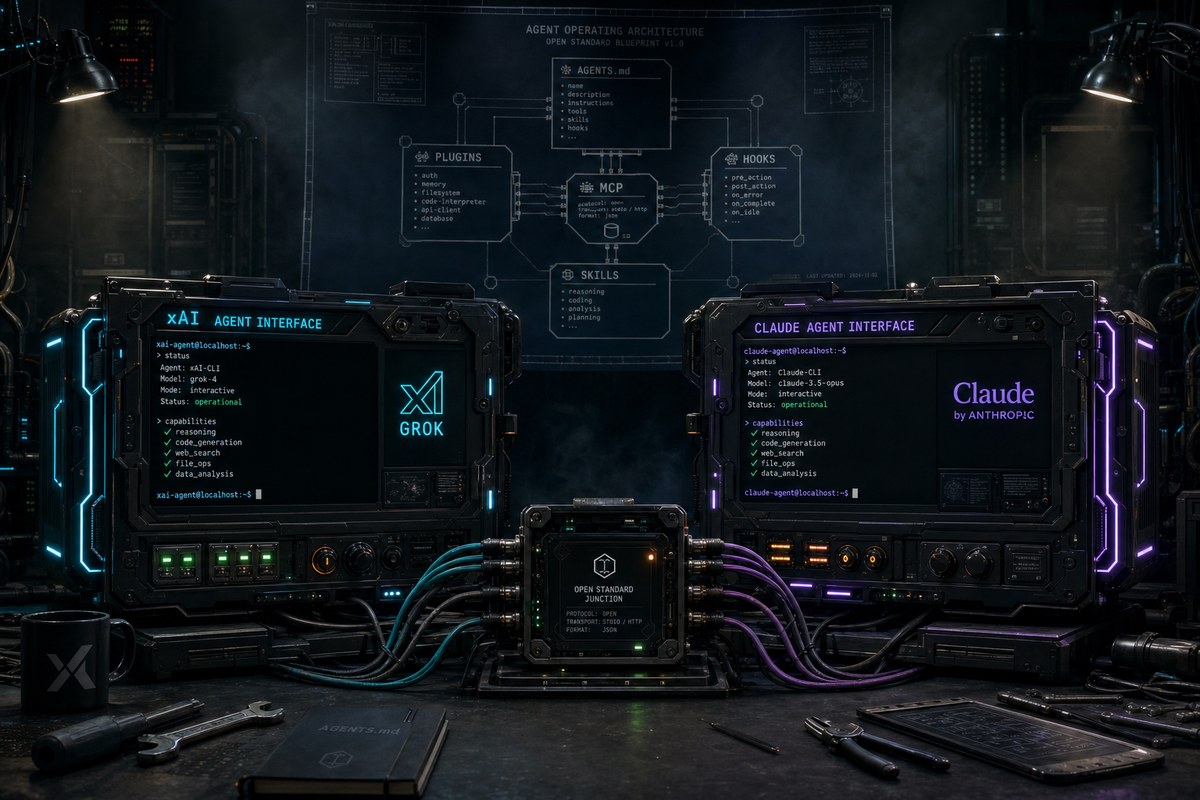
Grok supports familiar project conventions, including discovery of AGENTS.md and supported Claude configuration locations. Discovery is only the first part of compatibility.
The ecosystem has converged around a practical stack:
AGENTS.mdfor repo-local agent instructions.- MCP for connecting agents to tools and systems.
- Skills for reusable procedures.
- Hooks for policy, formatting, tests, and local workflow control.
- Plugins for packaging capabilities.
- Project memory and instructions for long-lived operating context.
This is good.
A world where every coding agent requires its own GROK.md, CLAUDE.md, MCP.md, plugin shape, hook syntax, and tool registry is a tax on users. It fragments the thing that should be portable: the repo's operating instructions.
Reuse shared written instructions where supported, then inspect what Grok loaded and test the native configuration. Tool grants, hidden-skill behavior, model overrides and hook protocols can differ even when files are discovered successfully.
Testing another agent can reuse requirements and task fixtures. Treat adapters and permission behavior as implementation work to verify, rather than assuming the entire environment transfers.
A low-cost trial is possible when discovery works and the behavior that matters to the task is checked explicitly.
What I would test first
I would not start by asking Grok Build to build a toy app.
Toy apps are misleading. Every serious model can make a clean React dashboard against a fake API. That tells you almost nothing about production fit.
I would test Grok Build on four classes of work.
1. Large-context repo orientation
Give it a real repo with real history and ask for an architectural explanation before any edits.
Good signs:
- It reads
AGENTS.mdbefore freelancing. - It identifies the main subsystems accurately.
- It notices tests, build tooling, and package boundaries.
- It distinguishes source of truth from generated files.
- It asks for missing constraints instead of inventing them.
Bad signs: summarizes filenames instead of architecture; ignores project instructions; treats generated files as hand-authored source; starts editing before planning.
This is where the context claim should show up first. Not in how much it can ingest, but in whether it can orient without drowning.
2. Narrow bug fix with tests
Give it a bug with a failing test or a reproducible command.
The test is simple: does Grok Build resist the urge to patch around the symptom?
A competent agent should trace the failure, find the ownership boundary, make the smallest coherent change, run the relevant test, and explain the diff. It should not rewrite adjacent modules because it saw an opportunity to "improve" them.
This is also where Plan Mode matters. The plan should name the likely failure path, the files it expects to inspect, and the verification command before code changes.
3. Multi-file feature with clear ownership
This is the parallel-subagent test.
Ask for a feature that crosses two or three layers: API, domain logic, UI, tests. Not huge. Just enough to require coordination.
Watch whether the subagents divide the work cleanly. One should not casually edit the same file another one is reasoning about unless the product has a sane merge discipline.
The best version of this architecture feels like a senior engineer delegating narrow slices and then integrating the result. The worst version feels like multiple interns pushing into the same branch.
4. Second-opinion review
This may be the most valuable first use.
Let your primary agent write a change. Then ask Grok Build to review the branch from a clean Plan Mode pass. Or reverse it: let Grok Build write, then have another model review.
This is the Two Models, One Branch pattern. The point is not that one model is morally better. The point is that different models miss different things. A second model with the same repo instructions is cheap insurance when the task matters.
Decision framework
Consider Grok Build as a primary tool when access, measured quality and operating cost fit the workload. Evaluate the actual route and account terms rather than assuming a particular subscription is required.
As a second reviewer, use the same original requirements and a separate context. Confirm which instructions, tools and permissions are effective before relying on a shared repository setup.
Wait when access or cost does not fit, or when the current workflow already meets the need. An evaluation should have a clear task set and criteria before it becomes another recurring expense.
Do not switch because a launch thread looked good. Do not refuse to test because you already have a favorite tool. Both are low-grade engineering decisions.
Run the product against your repo. Compare plans. Compare diffs. Compare test behavior. Compare failure modes. That is the only evaluation that matters.
Eight takes on Grok Build
1. Grok Build's best product decision is Plan Mode. The product is telling users that planning is part of execution, not a detour before execution. That is correct.
2. Pricing is an evaluation input. Compare the current route and offer with measured task performance; this article does not verify a historical introductory promotion.
3. Context use matters more than the headline window. Retrieval, relevance and verification still determine whether the available space helps.
4. Parallelism can be useful or costly. Clean ownership and integration matter more than an unsupported fixed agent count.
5. Supported discovery reduces setup work, but native schemas and execution behavior still need validation. Standards do not make a migration disappear.
6. The model and orchestration combination should be tested on outcomes: correct changes, useful reviews and reliable validation.
7. Plan comments are underrated. Being able to push back on one step instead of rewriting the whole instruction is exactly the kind of human-agent control surface that compounds in daily work.
8. The market does not need another AI coding assistant. It needs agents that can take scoped responsibility inside real engineering systems. Grok Build is interesting because it is aimed at that category from day one.
Closing
Grok Build is a serious entrant because it starts in the right place: the terminal, the repo, the plan, the diff, the local instruction stack.
A capable coding CLI needs clear instructions, tools, permissions and verification. Similar feature names are not evidence that every agent implements those controls in the same way.
The hypothesis is concrete enough to test: selected model, context strategy, parallel work and an inspectable plan.
Trial the product on a known task and inspect the effective configuration. Compare the final diff and test evidence, including failures, before expanding its role.
Reference: Grok skills, plugins and compatibility semantics (documentation checked 20 September 2026).
Reference: Grok Plan Mode coverage and caveats (documentation checked 20 September 2026).
Reference: Grok subagents (documentation checked 20 September 2026).