One Task, One Session: The Parallel Agent Field Manual
A 9-minute documentary and a field manual for running Claude Code and Codex in parallel: when to stay, clear, branch, fork or spin off, when you need a worktree, what it costs, and how to make the agents do it for you.

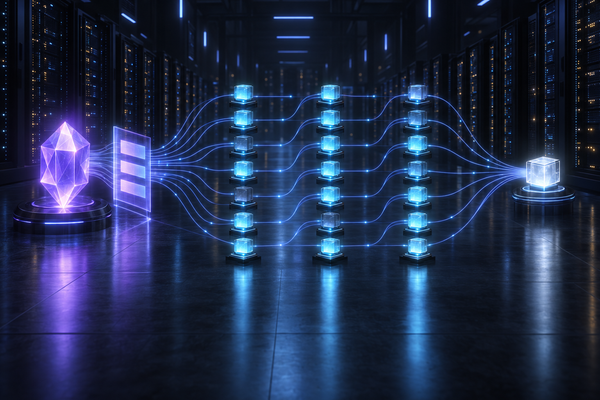
You open a project, give the agent a task, go a few rounds of feedback, and then type the sentence that breaks everything: "also do this in parallel." From there, either one chat collects four tasks, or four chats share one folder, one git index and one branch, and soon you cannot tell which instructions still apply or whose changes are about to land in your commit. The film above is the fast version. This is the manual.
| 👉 | Start here: two tasks at once, step by step 1. Start one agent. Open a terminal tab in your project, type 2. New task, new tab. Press ⌘T, start another agent in the same folder and give it the second task there. Never type task two into task one's tab. You decide when a tab opens and when it closes. 3. Steer each task in its tab. Click a tab, or move with ⇧⌘[ and ⇧⌘]. iTerm2's Claude Code integration (iTerm2 menu, Install Claude Code Integration) shows each Claude session as working, waiting or idle, with a colored dot on its tab, and Claude Code sends a desktop notification when a task finishes or stops at a permission prompt while you are away. 4. Keep parallel tabs on different things. Tabs in one folder share the files and the git state. Different files avoid collisions, and the rules below cover the git side; two tabs editing the same file can overwrite or commit each other's changes, even minutes apart. A task that overlaps another, needs a branch or runs its own server goes in a worktree, a separate copy of the repository: 5. Close the tab when you are happy (⌘W). With the rules below, each agent commits only its own files. The next task gets a new tab, so you never need One tab per task is the whole workflow. Boris Cherny, who created Claude Code, also runs parallel tabs with notifications: "I run 5 Claudes in parallel in my terminal. I number my tabs 1-5, and use system notifications to know when a Claude needs input." |
| ⚡ | TL;DR One task, one session. Feedback stays in the session. A new goal gets a fresh context: a new tab, or Two isolations. Sessions isolate what the model sees. Checkouts isolate what it writes. Solve them separately. Side questions go sideways. A shared folder needs rules. Commit only your own files by name, never stash, reset, clean or switch branches there, and merge when a push bounces. Overlap gets a worktree. Same files, a branch or a long unattended run: Clean sessions waste less; parallel sessions still add up. Every request re-sends the current context. Caching makes that cheaper, not free. Make it automatic. One rules file every session reads at startup, and hooks that track sessions and catch common risky git commands. |
Two ways it goes wrong
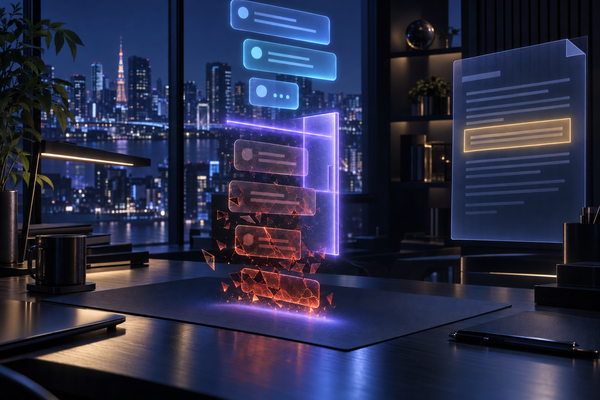
The kitchen sink. One session, every task. The spec you pasted first, the feedback, the side question, the second task and four hundred lines of test output all sit in the same context window, and every request carries all of it again. Old decisions compete with new ones. When the window fills, the tool compacts the history into a summary, and a summary keeps the gist, not every detail. Anthropic's best-practices page has a name for this, the kitchen sink session, and a one-line diagnosis: "Context is full of irrelevant information."
The free-for-all. So you open more sessions. Good instinct, dangerous without rules, because sessions in one folder share the working files, the git index and the branch. A git add -A sweeps another agent's half-finished files into your commit. A git stash yanks work you never saw out of the folder, and git reset --hard destroys it. One agent switches branches and the other agent's files change under it. Two dev servers fight for one port. And separate copies don't save you when the work overlaps: Nicholas Carlini at Anthropic gave each parallel agent its own clone of one repository, and on a single shared job they still collided. "Every agent would hit the same bug, fix that bug, and then overwrite each other's changes."
Parallel is not the problem. Shared state is.
Separate the two problems
Context is what the model sees on every request. Sessions isolate it: a fresh session, a branch of the conversation, a subagent with its own window.
Workspace is the files and git state the agent writes. A shared folder leaves all of it shared; a git worktree or a cloud sandbox gives a session its own files, index and HEAD.
Most advice mixes the two. Keep them apart and the decisions get simple. And keep the human part simple too. The best version of this has three layers: things that happen automatically, things you ask for in plain words ("clean up the worktrees"), and native keystrokes for when you want direct control.
What to use when
Use the lowest rung that works.
Keep the number of sessions you actively steer small. Simon Willison: "the natural bottleneck on all of this is how fast I can review the results." Addy Osmani: "Don't run more agents than you can meaningfully review. 3-5 is the sweet spot."
The command map
Checked against Claude Code 2.1.296 and Codex CLI 0.162.1.
Mind the naming trap: Claude Code's /branch is what Codex calls /fork, while Claude Code's /fork copies the conversation into a separate background session and leaves you working in the original.
Talking to a busy agent
Why does a message you type sometimes land instantly and sometimes wait? In Claude Code, Enter queues it, and Claude Code passes it to Claude "as soon as those tool calls finish, within the same turn." If a single command runs for two minutes, your message waits two minutes. On a Mac terminal the keys are Control keys: Ctrl+X then Ctrl+S sends what you queued right now (Ctrl+Enter does the same only where the terminal reports extended keys), Esc interrupts the turn, and the up arrow takes queued text back so you can edit it. Esc is not a cancel button for the queue: it interrupts without sending your draft, and Claude Code sends what you already queued right away. Slash commands you queue wait for the end of the turn; a few, like /status and /usage, run immediately.
For a quick question while it works, /btw answers from what is already in the conversation, with no tools and nothing added to the history. That also means it cannot open a file to check: a side answer is not an investigation.
Codex flips the default. Enter while a task runs steers the running turn now. Tab queues the message for after the turn, and Shift+← edits the last queued message.
The spec is not message one
Most real sessions start with a big spec and then grow forty follow-ups: new ideas, corrections, "actually use GraphQL." By message thirty the spec the agent obeys is a blur of message one and twenty-nine contradictions.
Put the spec in a file: the intended change, acceptance criteria, exclusions, decisions that still apply, the paths involved and the open questions. Feedback that changes the goal updates the file, and the agent revises the affected requirement instead of appending a contradiction. A small correction stays in the chat. A change of direction starts a fresh session from the file. A good handoff names the task, the spec, the current state, the owned paths, what was verified and the next step; it does not replay the conversation. If you do compact, tell it what to keep: /compact Focus on the API contract and the failing tests. For a long task, Claude Code's /goal sets a finish line it checks before stopping; Codex has /goal where goals are enabled.
Who writes to your screen
The main thread is the conversation you see.
A subagent appears as one row, with its name and task, and runs in its own context window. In Claude Code, open its row in the panel below the prompt to watch it work; after it finishes, /tasks opens its transcript. Only its summary returns to the main thread. The full transcript lives in its own file under ~/.claude/projects/…/subagents/, and it survives when the main conversation compacts.
A /fork copy or a background session is a whole separate session with its own transcript. claude agents lists them; claude attach opens one. In Codex, /agents opens the command center and /subagents switches between a session's subagent threads.
A side question (/btw, /side) shows its answer and leaves the main history as it was.
None of these copies protect your files. A branched or forked conversation shares the workspace with the original until something isolates it.
The practical rule: if you will want to steer it, it should be a session. If you only want the answer, it can be a subagent.
Shared checkout or worktree
When sharing works
Documentation, notes and knowledge bases share well: different files, often pushed straight to main. There, every session follows three rules.
- Commit only your own files, by name:
git add FILEfor new files, thengit commit -m "MSG" -- FILE. Given paths,git commitrecords only those, "disregarding any contents that have been staged for other paths." - Never stash,
reset --hard,clean,checkout ./restore .or switch branches in the shared folder. - Push directly. If the push bounces because the remote moved, run
git pull --no-rebase --no-edit --no-autostashand push again. A merge can proceed alongside unrelated uncommitted edits, but staged or overlapping changes can block it, and then you coordinate instead of forcing it.pull --rebaserefuses while any tracked file has uncommitted changes, and autostash would stash someone else's work.
A pathspec commit protects other files, not two edits inside the same file. Keep one owner per file, area or pipeline, and when your paths might overlap with a live peer's, say which ones you are taking.
When you need a worktree
Code with branches and reviews, anything that runs a server or a database, and long unattended runs get a worktree per session. A worktree is a second checkout of the same repository: it shares objects, branches and config, and has its own working files, index and HEAD. A branch can be checked out in only one of them at a time.
- Create.
claude --worktree orm-upgrademakes.claude/worktrees/orm-upgradeon branchworktree-orm-upgrade, from the remote default branch by default (worktree.baseRef: "head"keeps your local commits). Sessions you start withclaude --bgor from agent view move into a worktree before their first edit unless you setworktree.bgIsolation: "none"; a session you send to the background mid-task with/backgroundkeeps editing where it was.codex --worktreemakes a detached checkout of your current HEAD under$CODEX_HOME/worktrees. Neither carries your uncommitted edits over. - Secrets. A worktree starts with tracked files only. List
.envand friends in.worktreeinclude(gitignore syntax). Claude Code reads it, and Codex documents it for its desktop-app worktrees; I found no handling in the 0.162.1 CLI, so copy what you need into a Codex CLI worktree yourself. - Heavy folders. When both checkouts need identical dependencies and neither session will change them, point
node_modulesor a virtualenv at the main checkout withworktree.symlinkDirectories, then check your ignore rules. A pattern with a trailing slash,node_modules/, never matches a symlink: git's own docs sayfoo/"will not match a regular file or a symbolic link foo." I hit exactly this: the links showed up as untracked files, blockedgit worktree remove, and would have been swept into a commit. Add the slash-less name next to it. And remember that a symlinked folder is still shared: two worktrees installing packages into it collide. A shared environment must also stay read-only during runs and hold no editable installs or other links back to the main checkout's source; otherwise give each worktree its own environment and share only the package download cache. - Processes. Give each worktree its own port and database.
- Land, then remove. For a PR, create a task branch if the worktree is detached, then push it and open the PR. For a repository that takes direct pushes, follow its landing procedure to put the commits on the remote default branch. Once the PR is merged, or the work is on the default branch, remove the worktree and its branch:
git worktree remove PATHandgit branch -d BRANCH. A worktree that still holds uncommitted or unpushed work stays; never--forceover someone else's work.
Cleanup matters because every worktree is a full checkout of the tracked files. Claude Code removes a clean unnamed worktree on exit and asks otherwise; claude -p runs leave theirs behind. The Codex CLI never deletes its worktrees; the desktop app keeps the 15 most recent and snapshots before deleting.
Should you split the repository?
Sometimes, yes. Things that change together belong together; things that don't can live in separate projects with their own folders, their own CLAUDE.md or AGENTS.md, smaller contexts and fewer collisions. But a single product still needs parallel work inside one repository, so the rules above don't go away. Split by ownership and lifecycle, not to avoid learning worktrees.
The bill
The model remembers nothing between requests, so Claude Code "re-sends the full context: the system prompt, your project context, every prior message and tool result, and your new message." Prompt caching bills the unchanged part at a reduced rate: on the Claude API a cache read costs 0.1 times the base input price (0.05 times on Opus 5.5 and Sonnet 5.5), a five-minute cache write 1.25 times, a one-hour write 2 times. Cheaper, not free, and you pay it on every turn. In my own usage ledger last week, the average Claude request carried about 390,000 input tokens, and about 99% of them were cache reads. That is an observation of my setup with partial coverage, not a bill. Caching makes repeated context cheaper; it does not make irrelevant context free, and it does not make it smarter.
Here is why mixing tasks costs more. Take two equal tasks where every turn adds the same amount of context. In one shared session the second task drags the whole first task through every one of its requests; in two separate sessions it doesn't. Ignoring the fixed instructions and compaction, the growing history comes out at about twice the input for the shared session over many turns. Illustrative, not measured, and caching shrinks the price of that extra input, not its size.
The rest of the bill:
Separating unrelated tasks cuts the context each request carries. Five sessions at once still cost five sessions. And none of these API multipliers translate directly into subscription usage; check /usage in Claude Code and /status in Codex for reported usage and limits.
Sessions can talk
Claude Code sessions on one machine can message each other. Claude finds them with ListAgents and sends with SendMessage; you can also type @name in a prompt. A message is plain text, "never the sender's conversation history or files", read between the receiver's tool calls. Claude can ask for one notice when another session goes idle. A message can't approve anything, and the receiver's crossSessionInbound setting (accept, hold, refuse) decides what gets delivered. Codex has codex queue --thread ID --message TEXT for an existing session, plus thread tools inside a session.
Use messages for facts, not orders: "I own docs/ until 11:00." "The migration landed." "Done and pushed." Correctness comes from git, worktrees and leases, never from a message arriving, and another agent's request is never your authorization. Avoid ping-pong: a message to an idle Claude session starts a new turn with its full context, so batch facts into one useful report. If you want real orchestration, keep it shallow: one home session or the agents dashboard dispatches independent sessions, each worker owns disjoint paths or a worktree, and each reports back once.
What happens behind the scenes
You open the tabs; the setup keeps them from stepping on each other. I built four pieces into my harness, and none of them asks you to remember anything:
- Every session reads the rules first. Claude Code loads
~/.claude/CLAUDE.md, the instructions for all your projects, at the start of every conversation; Codex readsAGENTS.mdfiles "before doing any work", including the defaults in its home directory. I generate both files from one source, so every new session in every project already knows the parallel-work rules: commit only your own files by name; never stash,reset --hard,cleanor switch branches in a shared folder; merge and push again when a push bounces; put overlapping or branch work in a worktree, and remove that worktree as soon as its work has landed. - Hooks track the sessions. Both tools run small scripts on events: a session starts, a file is edited, a command is about to run. Mine record which session works in which folder and which files it changed.
- A notice when you are not alone. When another live session, Claude or Codex, works in the same folder, the agent gets a one-time note naming it and the files it has changed but not committed.
- A guard on risky git. The Claude Code docs say instructions are "context, not enforced configuration", and point to a PreToolUse hook to block an action whatever the model decides. So a guard checks each git command before it runs and blocks the ones that would sweep up or destroy another session's uncommitted edits: whole-tree adds and commits, stash,
reset --hard, checkout and restore of someone else's files,clean, branch switches, forced worktree removal. Single-session work is never affected.
What it does not do: it does not read the other sessions' plans or chats, and it does not stop two sessions in the same folder from editing the same file. Different files avoid direct collisions, and the rules and the guard cover the shared git state; two sessions editing the same file can overwrite or commit each other's changes, even at different times. That case needs a worktree: each session gets its own copy, git flags conflicting edits when both land, and a clean merge still deserves a review.
The notice fires once per new peer, not on every prompt: repeating a registry into the context is just more noise. And none of it wraps the native controls: /clear, /btw, worktrees and background sessions stay exactly what the tools ship.
In its first live test against a real checkout, with a second session mid-edit, the guard refused a git add -A that would have staged 14 of that session's uncommitted files. The same afternoon, two sessions in that checkout committed by path and pushed to main minutes apart without a conflict. It is a seatbelt for cooperating agents, not a security boundary: unusual shell syntax, scripts and people act outside it.
No harness? Three rules in your global CLAUDE.md and AGENTS.md get you most of the way:
- Other sessions may be working in this folder at the same time: stay on the files of your own task.
- Commit only your own files (
git add FILE, thengit commit -m MSG -- FILE); never stash,reset --hard,cleanor switch branches in a shared folder. - Put overlapping or branch work in a worktree, and remove it once its work has landed.
A day with it
Illustrative, on a made-up shop repository:
- 09:00 Tab 1: you start an agent and type "fix the checkout bug".
- 09:20 You open tab 2 yourself and type "write the API docs". Its agent gets a note that tab 1 is editing the checkout code, and each stays on its own files.
- 10:00 The risky database upgrade gets a worktree, its own port and a pull request.
- 10:30 A Codex session in the main folder tries
git add -A. The guard names the file that belongs to the bug-fix session. Codex adds and commits its own test file by name. - 11:00 Tab 2 commits its own files and pushes. You close it when you are happy.
- 11:20 Bug fixed and pushed. You close tab 1 too; the next task gets a new tab.
- 18:00 The upgrade's pull request is merged, and its agent removes the worktree and the branch.
Seven rules
- One task, one session.
- Side questions go sideways.
- Branch the conversation to try an idea.
- Commit only your own files.
- Overlap gets a worktree.
- Messages carry facts.
- Hooks catch the common mistakes.
Your agents can run in parallel. Your attention cannot. Run what you can review.